Guides / Tutorials / English & Spelling Bee
Listen, spell and build your vocabulary.
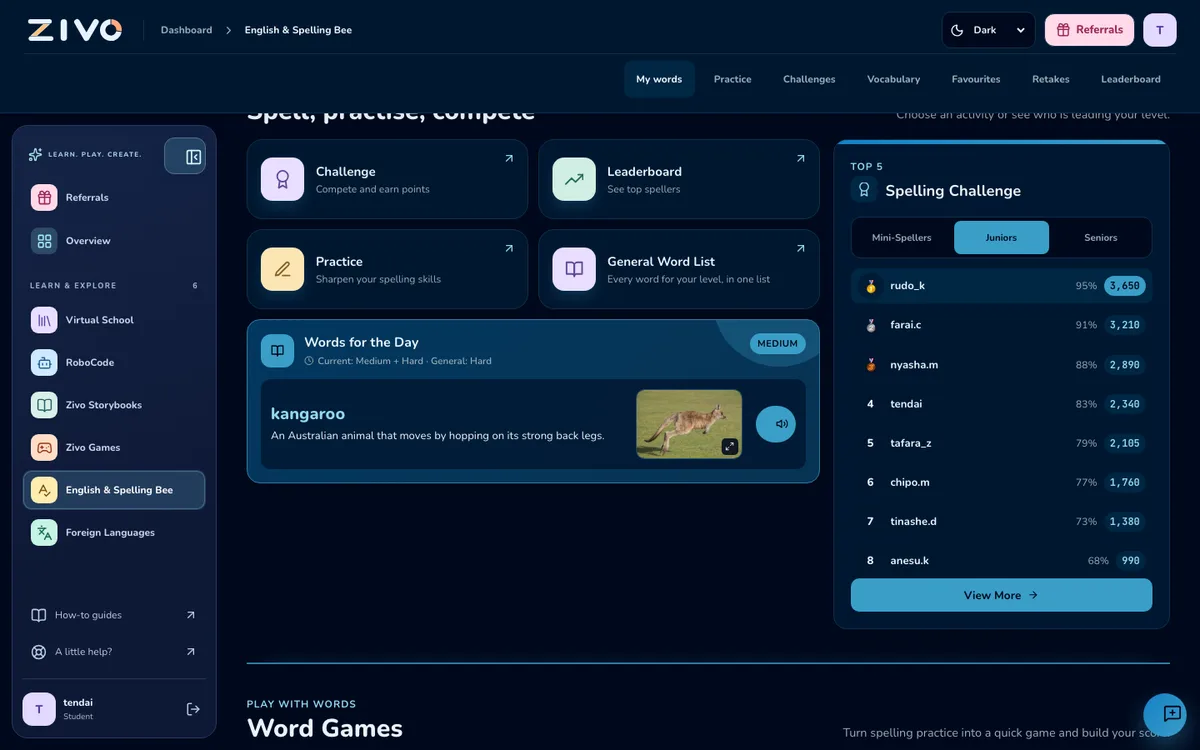
Practise spelling at your own pace Play a spelling challenge Browse the word list for your level Save favourite words and challenge yourself on them Retake the words you missed Choose the voice that reads the words See the Spelling Bee leaderboard Play Word Basher Play a word game Upload a word list (staff) Open English & Spelling Bee in the sidebar and choose the Practice card. zivo.cloud/spelling-bee
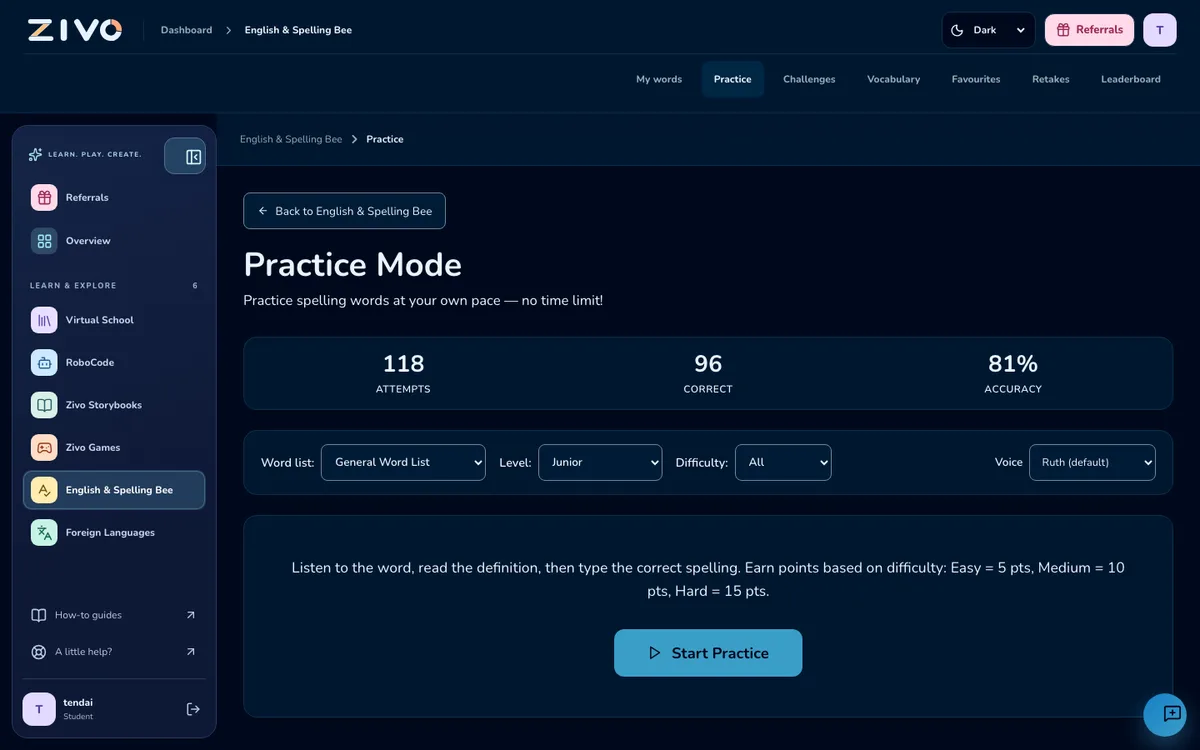
The English & Spelling Bee page Under the filters choose a Word list , a Level (Mini-Spellers, Junior or Senior) and a Difficulty . Your level is chosen for you from your profile. zivo.cloud/spelling-bee/practice
Choosing a list, level and difficulty in Practice Choose a Voice if you want a different one. Press Start Practice . Press Hear the Word and read the Meaning . Type the spelling into the box and press Submit . Read the feedback. A wrong answer shows the correct spelling. Press Next Word to carry on. Good to know
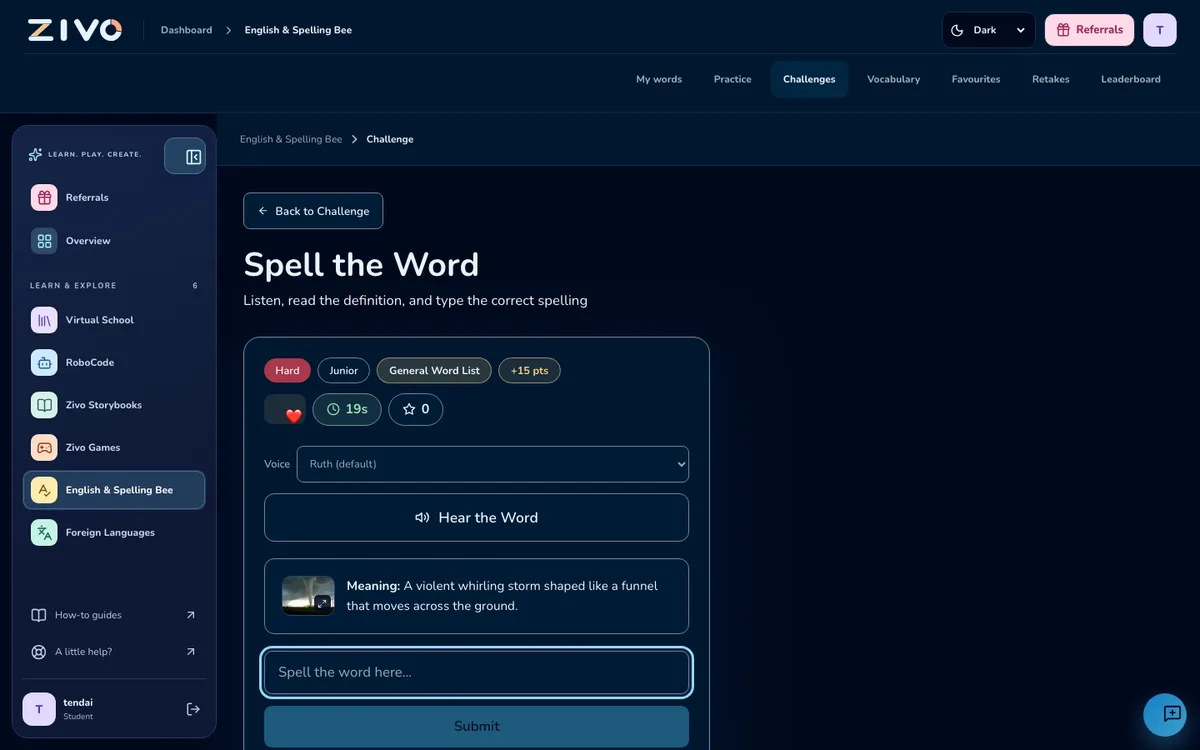
Press Reset to clear the session. When you master every word in your list, a Brilliant work! card appears. Press Continue to General Word List to move on, or Reset Current Word List to repeat it. Practice has no time limit. Open English & Spelling Bee and choose the Challenge card. On Challenge Mode choose a Word list , a Level and a Difficulty . Press Start Challenge . You have 20 seconds. Press Hear the Word , read the Meaning and type the spelling. zivo.cloud/spelling-bee/challenge
A word in Challenge Mode Press Submit . You see the points you earned, or the correct spelling if you missed it. Press Next Challenge for the next word. Good to know
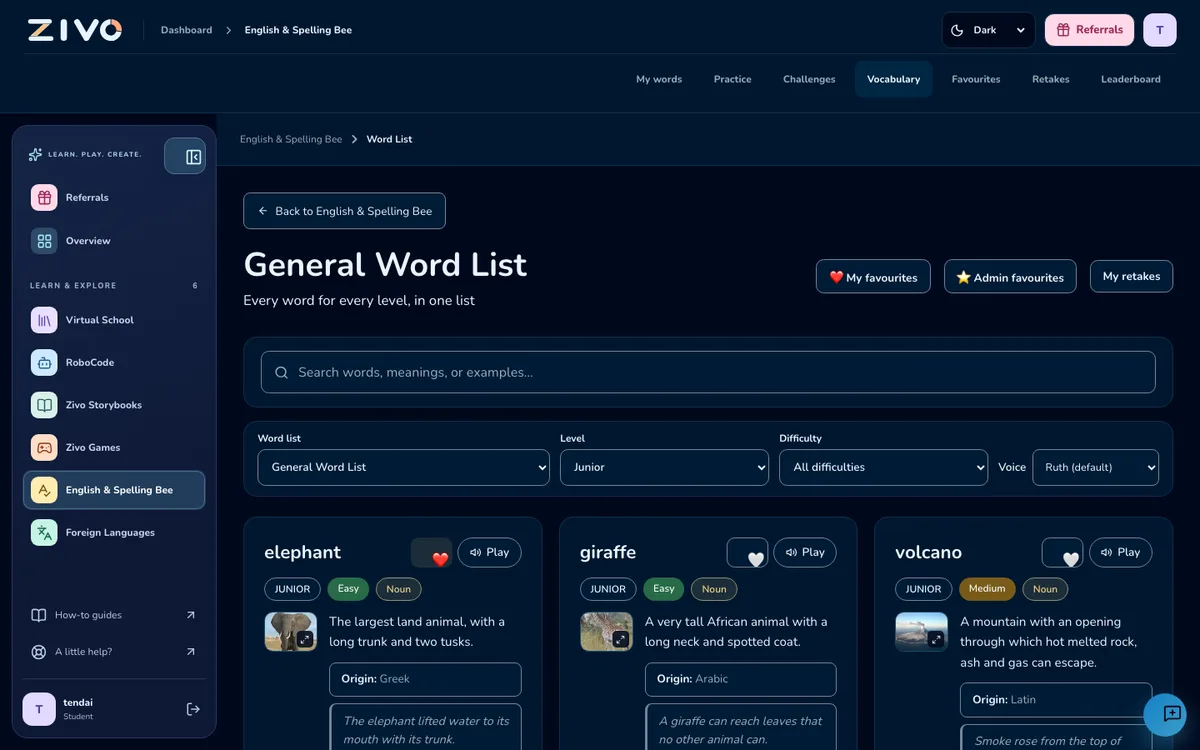
Harder words earn more points: Easy, Medium and Hard are worth different amounts. A word you spell correctly again on the same day earns no extra points. Words you miss go onto your retake list. Press the heart button on a word to save it to your favourites. Open English & Spelling Bee and choose the General Word List card. Type a word into Search words, meanings, or examples... . zivo.cloud/spelling-bee/vocabulary
The General Word List Open Filter Word List and choose a Word list , Level and Difficulty . Read each card. It shows the word, its level and difficulty, a picture, the meaning and an example sentence. Press Play on a card to hear the word. Use the page buttons at the bottom to move through the list. Good to know
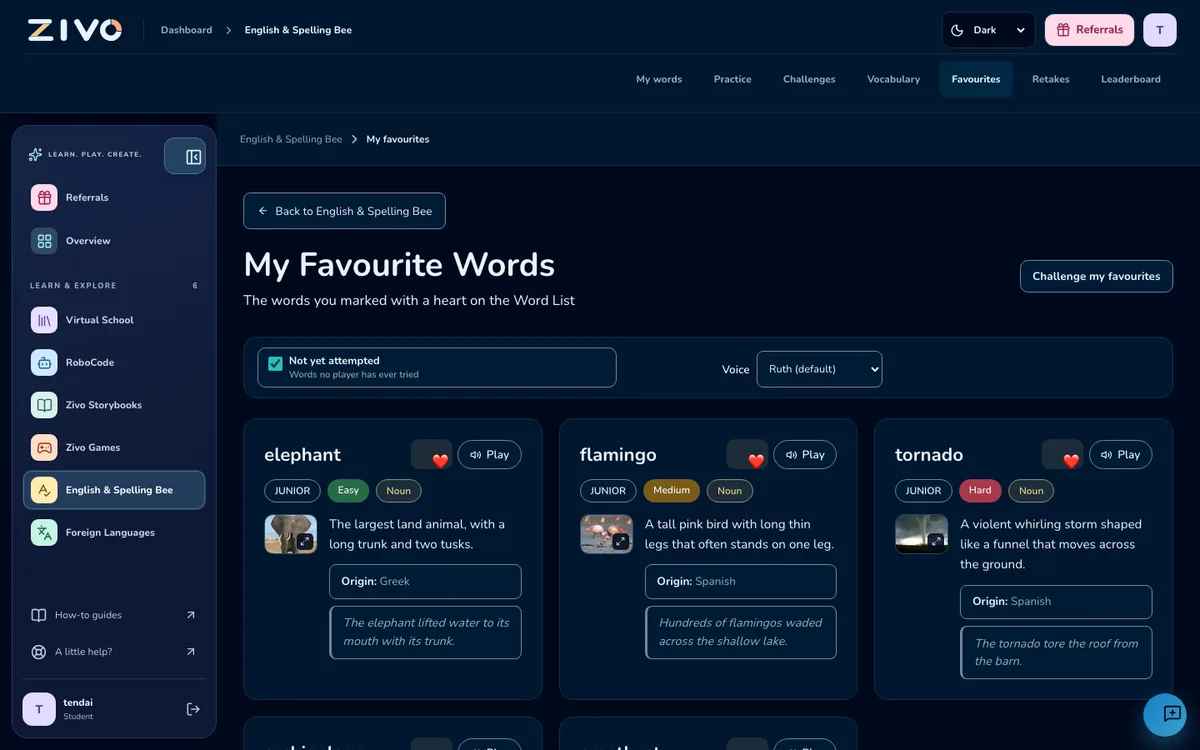
There is one General Word List for each level, and your school may add more lists. If your device has no sound, the page says "No sound available on this device." Open the General Word List . Press the heart on a word card. It turns red. Press My favourites in the page header to open My Favourite Words . zivo.cloud/spelling-bee/favorites
Your favourite words Press Challenge my favourites to start the favourites challenge. Press a word's heart again to take it off the list. Good to know
Your list is private to you and does not depend on your level. Words you have not tried yet come first, because Not yet attempted is switched on. The Admin favourites link in the same header opens a list chosen by the organisers. Press Challenge admin favourites to play it. Open English & Spelling Bee . On the Words failed card press Retake . You can also press My retakes in the header of the General Word List. Press Challenge my retakes . Press Start Retake . Spell each word within 20 seconds. Good to know
When you get a word right, it leaves your failed list. A word you missed before is worth fewer points than a fresh one. If the page says "You have no words to retake...", you have nothing outstanding. Open Practice , Challenge or the General Word List . Open the Voice list. Choose a voice. There are child voices (Ivy, Justin, Kevin), adult American voices (Joanna, Matthew, Ruth, Stephen) and British voices (Amy, Brian). Press Hear the Word to test it. Good to know
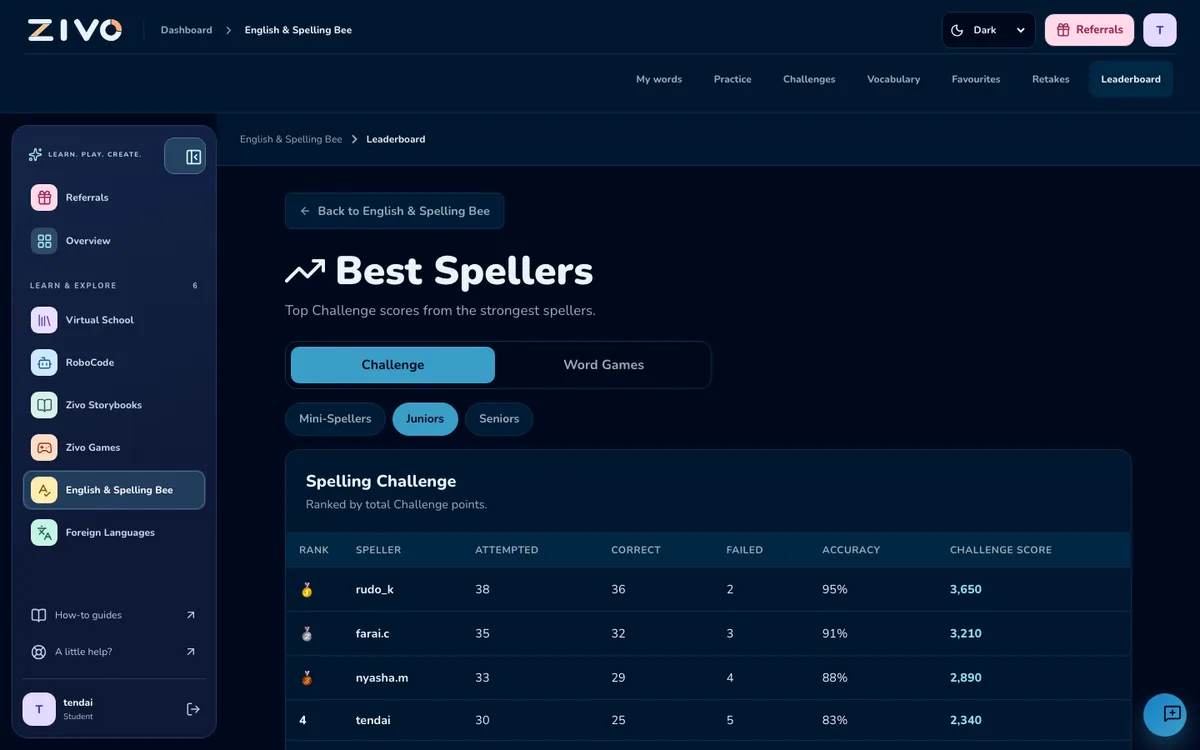
Your choice is remembered on the device you are using. Foreign Languages has its own voice list. Open English & Spelling Bee and choose the Leaderboard card. In Leaderboard type , press Challenge or Word Games . zivo.cloud/spelling-bee/leaderboard
The Spelling Bee leaderboard In Spelling level , press Mini-Spellers , Juniors or Seniors . Read the table: rank, speller, attempted, correct and failed words, and points. On Word Games , press a row to see the points that speller earned in each game. Good to know
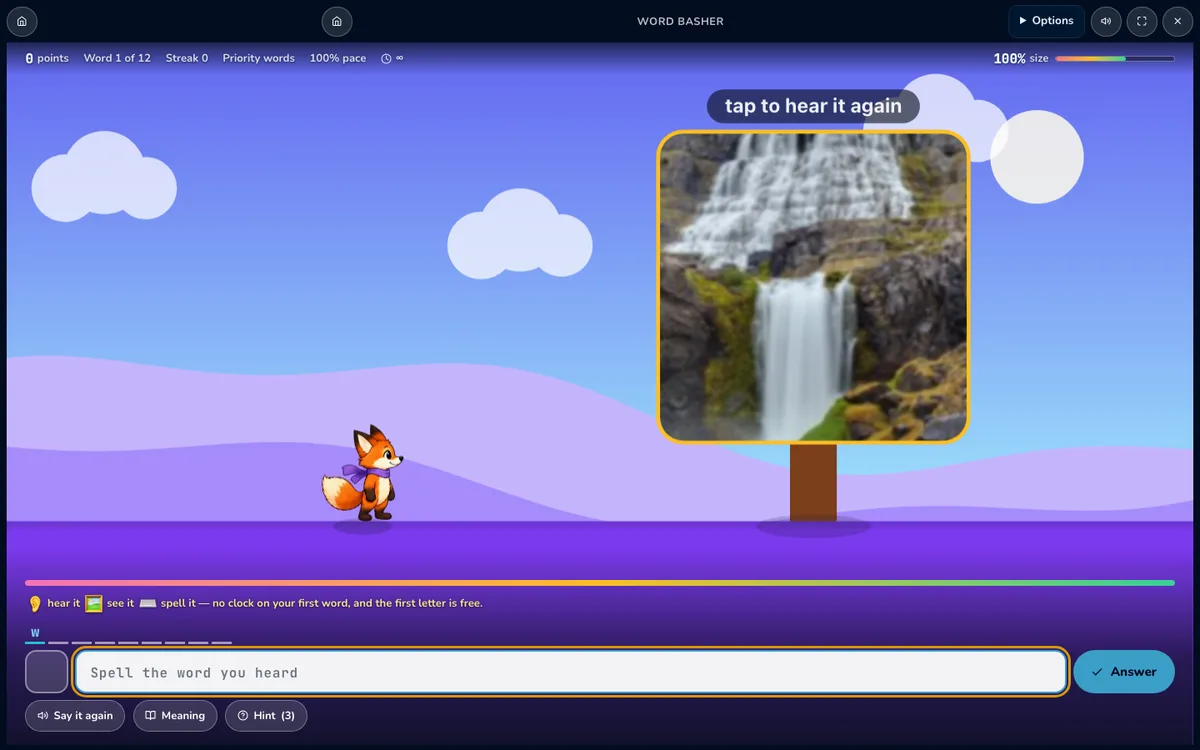
Your own level is chosen for you. "No scores yet" means nobody has finished a challenge or game at that level. Gold, silver and bronze medals mark the top three. Open Zivo Games , choose Language & spelling , then Word Basher . Press Start spelling . Press Word of the Day instead if you want the same twelve words as everyone else today. Listen to the word. Press Say it again if you need to hear it again, and look at the picture. zivo.cloud/games/word-basher
Word Basher Type the word into Spell the word you heard . Press Answer , then Next . If you are stuck, press Meaning to hear the definition, or Hint to reveal a letter. A hint costs points and seconds. Good to know
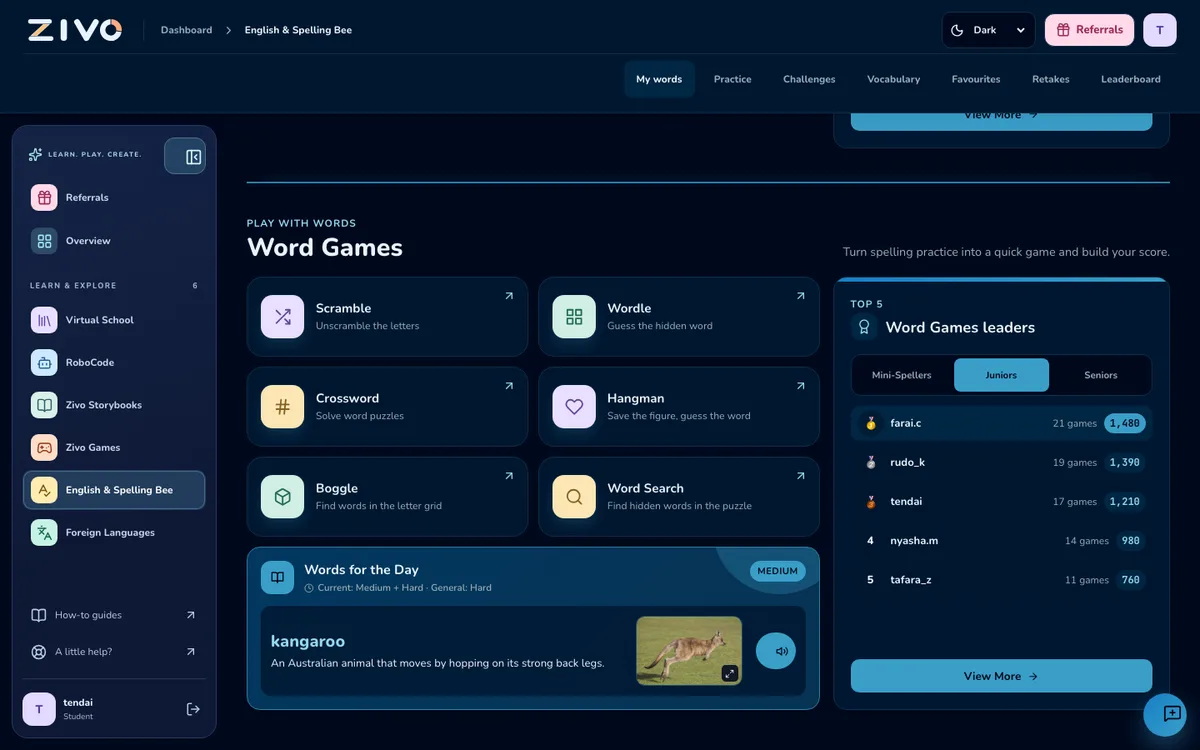
A run is twelve words, then a result card appears. Your character is the life meter. A correct word makes it grow and a miss makes it shrink. You have 30 seconds for each word. Press Big screen to play over the whole screen. Try Scramble, Wordle, Crossword, Hangman, Boggle or Word Search, all built from the spelling word list.
Open English & Spelling Bee and scroll to Word Games . zivo.cloud/spelling-bee
The six word games Choose a game card. Pick your Level : Mini-Spellers, Junior or Senior. In Scramble , tap the letter tiles in order. Use Shuffle and Clear , and Show hint for the definition. In Wordle , type or tap the keyboard. The colours show how close each letter is. You have six tries. In Hangman , press letters. Six wrong guesses end the game. In Crossword , read the Across and Down clues, then press Check or Reveal . In Boggle , press Start Game and click connected letters to build words. In Word Search , press Generate Puzzle and click the first and last letter of each word. Good to know
Scramble, Wordle and Hangman also have live matches. Press Play with friends . Boggle is timed. You have three minutes. Open Leaderboard under a game to see its scores. Open /settings/words. This page has no menu link yet, so go to the address directly. The page is titled Word Management . In Upload a word list , press Download the template and fill it in with your words. In Word list , choose an existing list, or Create new list… and type a New list name . Choose the Level : Mini-Spellers, Junior or Senior. Choose your spreadsheet in File (.xlsx or .csv) . Press Upload , then wait while the page shows how many words it has verified. Read the summary. It tells you how many words were added, were already in the list or were rejected. Press View words to see the list, Download exceptions to see the rejected rows, or Upload another . Good to know
If the upload fails, no words are added. Press Try again . Learners see the new list in the Word list choice on Practice, Challenge and the Word List. If uploads keep failing, tell a super administrator. The service that checks the words may be unavailable. Next topic: Zivo Storybooks